Electronic invoicing (e-CF)
How to become an electronic issuer with the DGII and connect RedBox to SSPointFE so your sales carry an electronic tax receipt.
An e-CF is an electronic tax receipt: the DGII receives it, signs it and stores it at the moment of sale, with no printed sequences in between. RedBox issues them through SSPointFE, which acts as the bridge to the DGII.
This is not a process you go through alone. Someone from RedBox walks you through it end to end — it involves more outside parties than anything else in setup — and this page exists so you know in advance what will happen and what we are going to ask you for.
You can keep selling in the meantime: the point of sale does not stop, your invoices simply do not carry an e-CF yet. Start early anyway, because the calendar belongs to the DGII and to the signature provider, not to us.
Before you start
- An active paid licence. Integrations unlock with it.
- The
Administrar integracionespermission on your user. - Your business RNC recorded on your account.
- A representative: an individual with their own personal Oficina Virtual active. The certificate is issued in their name, not the company's.
The process
Apply to become an Emisor Electrónico
Go to the DGII's Oficina Virtual and apply for authorisation as an electronic issuer. Once approved you get access to the Portal de Certificación, where you will need to create an access password.
The representative needs their own Oficina Virtual
The certificate is tied to a person, not to the company. Whoever you name as representative before the DGII must have their personal Oficina Virtual active — the business one is not enough. This is where this step most often stalls.
Get the digital certificate
That same representative — the person, not the company — requests a digital certificate from one of these two providers:
Ask specifically for one for Facturación Electrónica or Trámites Tributarios. Other kinds of digital certificate will not work for issuing receipts.
You will end up with two things: a .p12 file and the password that
opens it. You need both.
Hand us the certificate
With the .p12 and its password we run the certification with the DGII
alongside SSPointFE. Write to us and we will tell you where to send it.
That password is a key — treat it as one
Anyone holding it can sign in your representative's name. Do not send it over social media, or in the same message as the file.
Save your credentials in RedBox
Once certification is done, SSPointFE gives you an ID de cliente and a código secreto. Go to Integraciones → SSPointFE and save them there.
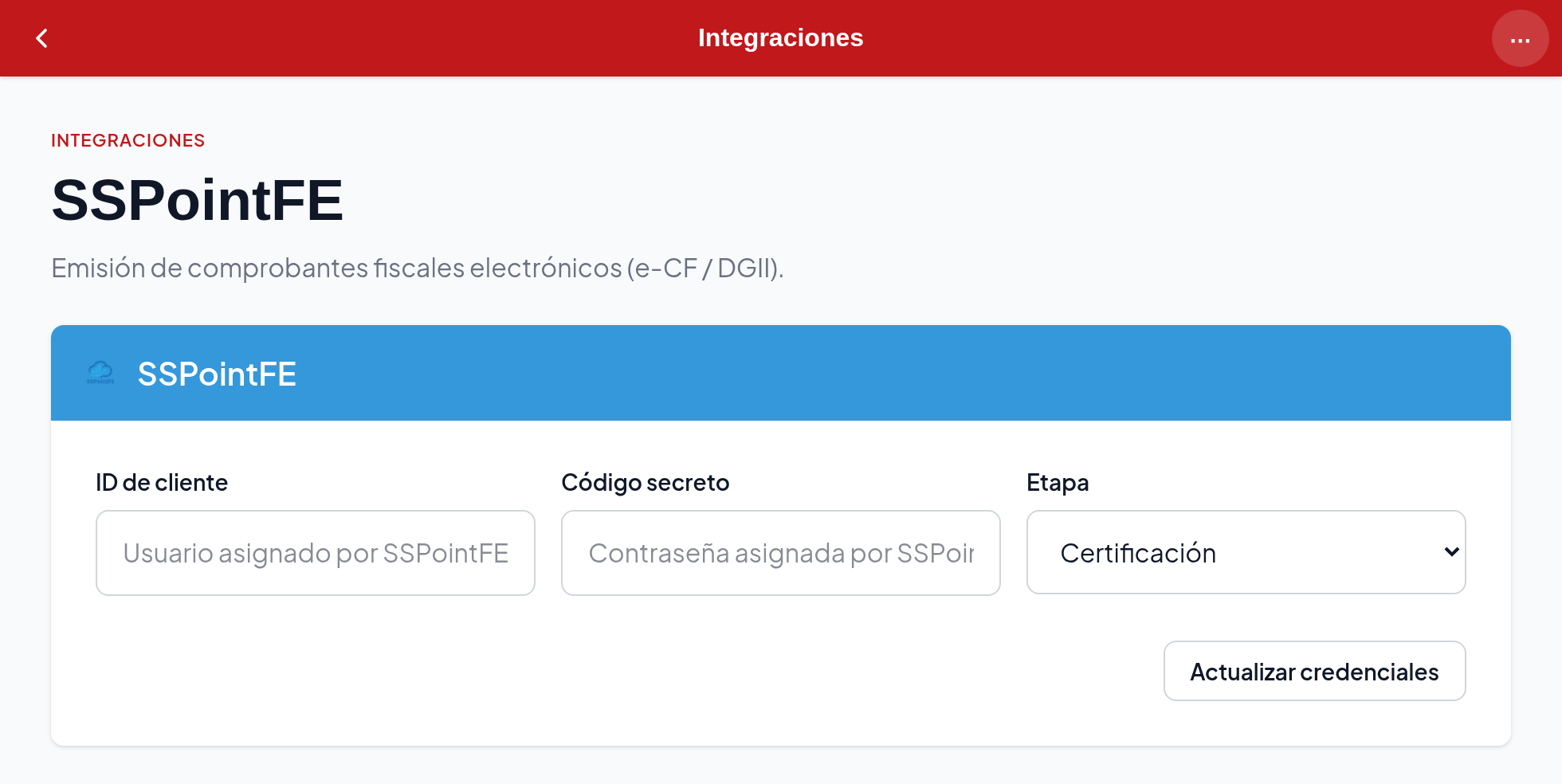
Set the stage to Producción
The third field, Etapa, decides which DGII environment you issue against. During certification it stays on Certificación; the day the DGII approves you, change it to Producción. That change is what puts real invoicing into effect.
The stages
| Etapa | Where it issues |
|---|---|
| Certificación | To the test environment. Receipts do not count with the DGII |
| Prueba | To that same test environment |
| Producción | To the real environment. Receipts count |
If your receipts are not showing at the DGII, look here first
Staying on Certificación after being approved is the most frequent cause. Everything looks right — the receipt is issued, it gets its number and its security code — but none of it reached the DGII's real environment.
The details we ask for
| Field | What it is |
|---|---|
| ID de cliente | The username SSPointFE assigns you |
| Código secreto | The password SSPointFE assigns you. Stored encrypted |
| Etapa | Which DGII environment you issue against |
How long it takes
| Step | Estimate |
|---|---|
| DGII application | 1 to 5 days |
| Digital certificate | 1 day |
The certification that follows depends on the DGII and has no fixed duration.
If something goes wrong
Need a hand?
Write to us at any point in the process. We accompany this one every time, and whoever helps you knows both the DGII side and the SSPointFE side.